All-In-One Overview
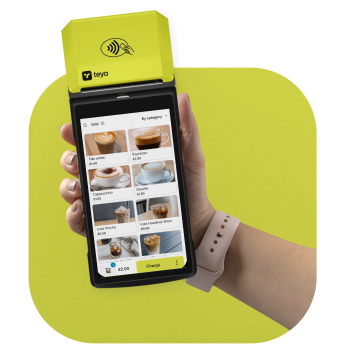
All-In-One (AIO) integration is designed for scenarios where the ePOS application and Teya payment app run on the same Android card machine. The two applications communicate directly, while the SDK provides a consistent payment experience.
When to use All-In-One?
Choose All-In-One when you want a single-device solution that combines the POS and payment card machine functions. For example:
- Running your ePOS app directly on a Teya Android card machine to take payments and print receipts from the same device.
Key Benefits
Single-Device Workflow
POS and payment card machine operate on the same Android device.
Receipt Printing Support
Can use Sunmi or PAX printer SDKs for receipt printing.
Get Started
The ePOS application and the Teya payment card machine application communicate via deeplinks, while the SDK handles authentication and provides a ready-to-use payment UI. The checklist below helps partners prepare for AIO integration.
Integration Checklist
Request a Debug Card Machine
- Contact your Partnership Manager to request a debug card machine.
- When requesting, specify which card machine model (e.g., Sunmi or PAX) you need for development.
Test Merchant Account
- A test merchant account must be registered and assigned to the debug card machine.
- Your Partnership Manager will assist with creating and linking this account.
Download the Teya Terminal App
- Download the Teya mock payment app APK
- The mock app includes built-in test cards that allow you to simulate various payment scenarios.
Start Development
- Once the debug card machine and test merchant account are set up, you can start development by integrating the SDK using the guides and code samples.