Cancel a Payment
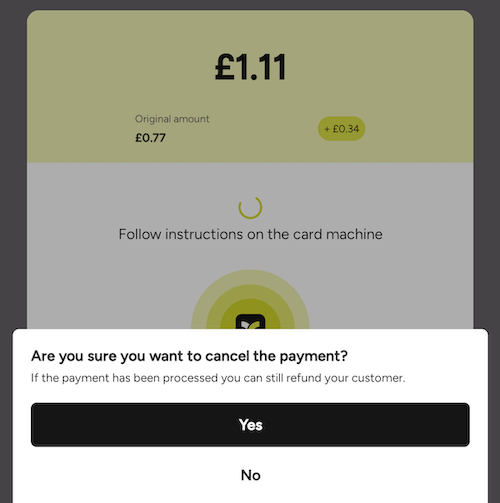
Payments can be cancelled programmatically or directly via the Teya Payment UI.
Cancelling Programmatically
To cancel a payment in your code, call the cancelPayment function on the PaymentStateSubscription object returned by the makePayment function.
The result will be provided asynchronously through a lambda as a CancellationResult.
In the coroutines API, call cancel() on the PaymentHandle instead. It suspends until the outcome is known and returns it directly, carrying the same CancellationResult in its result property.
Kotlin (callbacks)
paymentSubscription.cancelPayment { result ->
    println("Cancel payment result = $result")
}Possible Errors
When cancelling programmatically, the SDK returns a CancellationResult enum value indicating the outcome.
Below are the possible error values and their meanings:
| Error | Description |
|---|---|
PaymentNotYetCreated |
Payment not yet created, but communication to create it is under way. |
PaymentAlreadyFinished |
The payment was already finished, nothing to cancel. |
NetworkError |
There was a network error when attempting to communicate with the server. |
UnexpectedServerCommunicationError |
There was an unexpected error when attempting to communicate with the server. |
Your application should log them and decide whether to retry, display an error to the user, or handle the failure in another way.
Note: A successful result indicates
CancellingPayment, which means the system is attempting to cancel the payment request.However, if the cancellation request is sent too late, the payment app may still ignore it and continue processing the payment.
Cancelling via the Integrated Teya Payment Interface
It is also possible to cancel the payment directly through the integrated Teya payment interface on the card machine.
When a payment is cancelled using the interface, the SDK automatically manages all potential errors and displays the appropriate messages to guide the user through the next steps.